
Table of Contents
- What is AI recruiting?
- How does AI recruiting work?
- How is AI used in recruiting?
- What are the benefits of AI recruiting?
- What are the limitations and risks of AI recruiting?
- What types of AI recruiting tools are available?
- AI recruiting software vs AI recruiting platform: What's the difference?
- How to choose AI recruiting software
- 1. Identify your recruiting bottleneck
- 2. Understand what the AI actually does
- 3. Understand what data and criteria it evaluates
- 4. Check transparency and human control
- 5. Consider candidate experience
- 6. Review privacy, security, and compliance
- 7. Check integrations and workflow fit
- 8. Compare total cost with the problem being solved
- How to use AI in recruiting
- How can small businesses use AI recruiting?
- How HeyVA uses AI recruiting
- What HeyVA has learned from AI-assisted recruiting
- Spend less time on repetitive recruiting work
- FAQs
Key summary
AI recruiting can support sourcing, screening, candidate matching, communication, scheduling, and other repetitive parts of hiring. Because AI recruiting tools solve different problems, employers should start by identifying their hiring bottleneck rather than choosing software simply because it uses AI. While AI can make recruiting workflows more efficient, factors such as accuracy, transparency, candidate experience, privacy, and potential bias still need to be considered. The most effective approach combines AI and automation with appropriate human oversight.
AI recruiting is the use of artificial intelligence to support parts of the hiring process, including candidate sourcing, applicant screening, candidate matching, communication, interview scheduling, and recruiting administration. Used well, AI can reduce repetitive hiring work while recruiters and employers focus on evaluating candidates and deciding who to hire.
AI is already being used across recruiting workflows. Businesses use AI and automation for activities such as sourcing, screening, scheduling, and candidate communication.
For a large talent acquisition team, that might mean adding AI to an existing recruiting technology stack. For a founder or small business owner, it can be much simpler: spending less time reviewing applications, following up with candidates, and coordinating interviews.
The important question isn't simply whether to use AI in recruiting. It's where AI adds value and where human judgment still matters.
What is AI recruiting?
AI recruiting means using artificial intelligence to assist with tasks and workflows involved in finding, evaluating, communicating with, and hiring candidates.
It is a broad category rather than one specific technology. Depending on the software, AI can support areas such as candidate sourcing, screening, matching, communication, scheduling, interview support, and talent rediscovery.
This is why two products described as AI recruiting software can work very differently. One may specialize in sourcing candidates, while another screens applicants or coordinates interviews. An AI recruiting platform like HeyVA combined these workflows.
AI recruiting vs recruiting automation
AI recruiting uses artificial intelligence to interpret, generate, match, summarize, or analyze recruiting information. Recruiting automation uses predefined workflows or rules to complete repetitive recruiting tasks automatically.
The two often work together.
| AI recruiting | Recruiting automation | |
|---|---|---|
| Primary purpose | Interpret, generate, match, or analyze information | Automate predefined workflows |
| Example | Summarizing an applicant against role criteria | Sending an interview reminder |
| Requires AI? | Yes | Not necessarily |
| Can they work together? | Yes | Yes |
For example, automatically sending an email when a candidate reaches a particular hiring stage is automation. Using AI to summarize that candidate's application before a recruiter reviews it is an AI-assisted task.

How does AI recruiting work?
Most AI recruiting tools follow some variation of four stages:
Input → AI processing → output or action → human review
First, the system receives information. Depending on the tool, that could include a job description, hiring criteria, candidate profile, application, resume, interview transcript, or recruiting workflow.
The AI processes that information for a specific purpose and might produce:
- a candidate summary
- potential candidate matches
- a screening recommendation
- a drafted message
- suggested interview questions
- an interview summary
- a scheduling action
A recruiter or hiring manager can then review the output and determine what happens next.
Not every AI recruiting system works the same way. Employers should understand what information a product uses and how its outputs affect candidates, particularly when AI is involved in screening or evaluation.
How is AI used in recruiting?
AI is used throughout recruiting to help employers find candidates, process applications, communicate with applicants, coordinate interviews, and organize hiring information.
Here's what that can look like across the hiring process:
| Recruiting stage | How AI can help | Example |
|---|---|---|
| Role definition | Structure requirements | Clarify responsibilities and skills |
| Job posting | Draft or improve content | Improve a job description |
| Candidate sourcing | Find potential candidates | Search candidate databases |
| Screening | Review candidate information | Evaluate applications against criteria |
| Matching | Surface potentially relevant candidates | Match experience and skills to a role |
| Communication | Assist with follow-ups | Send or draft applicant messages |
| Scheduling | Coordinate interviews | Help candidates find interview times |
| Interviews | Organize interview information | Create notes or summaries |
| Talent rediscovery | Search previous candidates | Surface previous applicants for a new role |
AI candidate sourcing
AI sourcing tools help recruiters find potential candidates based on the requirements of a role.
Instead of relying entirely on manual searches, some tools can interpret a job brief or description and identify profiles that appear relevant.
This can be useful when a company is proactively recruiting rather than waiting for candidates to apply.
AI applicant screening
AI screening tools help process applicant information against job requirements, screening criteria, or other recruiting frameworks.
For example, an AI system might organize candidate information, summarize relevant experience, or help identify applicants who warrant closer review.
Screening deserves more scrutiny than simple administrative automation because it can influence who progresses through the hiring process. Employers should understand what criteria the system evaluates and maintain appropriate oversight.
AI candidate matching
Candidate matching attempts to identify relationships between a role and a candidate's experience, skills, background, or other relevant information.
This can help employers prioritize where to look first.
A match isn't the same as a hiring decision. Candidates who appear similar on paper may differ significantly in communication, judgment, motivation, and their ability to take ownership of the actual role.
AI candidate communication and chatbots
AI recruiting chatbots and assistants can help answer common questions, follow up with applicants, collect information, and keep candidates moving through the hiring process.
This can be particularly useful when an employer receives more applicants than they can realistically respond to manually.
Good automation should make communication faster and clearer without making candidates feel trapped inside an automated process.
AI interview scheduling
AI and automated scheduling systems can help:
- identify suitable interview times
- send scheduling information
- coordinate calendars
- remind candidates about interviews
- reduce scheduling back-and-forth
Interview scheduling is a useful example of automation removing administrative work without taking over candidate evaluation.
AI interview support
Some AI recruiting software focuses on what happens during or after an interview.
Depending on the product, that may include:
- transcription
- interview notes
- summaries
- structured reports
- scorecard assistance
- organizing candidate evidence
These tools can make interview information easier to review, but an AI-generated summary or score doesn't necessarily capture everything an interviewer needs to know.
What are the benefits of AI recruiting?
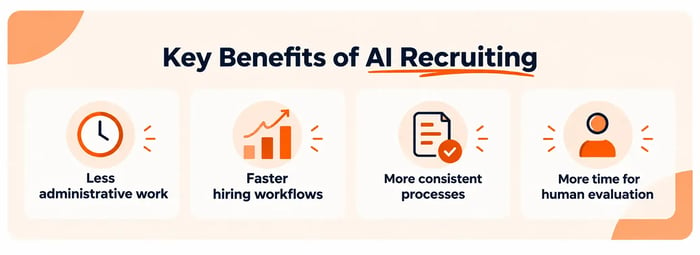
The main benefit of AI recruiting is its ability to reduce repetitive recruiting work and help employers process hiring information more efficiently.
1. Less administrative work
AI can reduce time spent on repetitive recruiting activities, giving employers more capacity for work that requires judgment and interaction.
2. Faster hiring workflows
Screening, communication, and scheduling can move more efficiently when repetitive steps don't depend entirely on manual action.
3. More consistent processes
Structured systems can help employers follow a more repeatable process rather than changing their approach from candidate to candidate.
Consistency alone isn't enough, though. The underlying hiring criteria still need to be relevant to the role.
4. More time for human evaluation
When AI handles more routine processing, employers can spend more time understanding candidates, assessing judgment, conducting interviews, and making hiring decisions.
What are the limitations and risks of AI recruiting?
AI recruiting can make hiring more efficient, but it can also create problems if employers don't understand how a system evaluates candidates or rely too heavily on its outputs.
Bias and inappropriate criteria
AI doesn't automatically make recruiting objectives.
If the data, criteria, model, or process disadvantages particular groups, automation can repeat or scale that problem.
The U.S. Equal Employment Opportunity Commission notes that employment practices can raise discrimination concerns when they disproportionately affect protected groups, depending on the circumstances and whether the practices are job-related and legally justified.
Employers should therefore establish relevant hiring criteria and understand how those criteria are being used.
Lack of transparency
An AI score isn't particularly useful if nobody understands what it represents.
When evaluating AI recruiting solutions, ask:
- What information does the system use?
- What is it evaluating?
- What does its output mean?
- Can a person review the recommendation?
- What happens when the AI is uncertain?
AI-powered isn't an explanation of how a recruiting product works.
Overreliance on AI recommendations
AI can organize evidence, but it can also miss context.
Employers should treat AI recommendations as inputs into the hiring process rather than assume a score or recommendation tells the whole story.
Candidate privacy and data
Recruiting involves personal information.
Before adopting AI recruiting software, understand what candidate information is collected, how it's processed, who can access it, how long it's retained, and what privacy and security controls are available.
Requirements can differ depending on where the employer, candidate, and provider operate.
Poor candidate experience
Automation can improve candidate experience when it creates faster communication and fewer unnecessary delays.
It can also make hiring feel impersonal when every interaction becomes automated.
Instead of asking only:
Can this interaction be automated?
Ask:
Will automating it make the process better for both the employer and the candidate?
Inaccurate AI-generated information
Generative AI can produce incorrect or incomplete information.
The more consequential the output, the more important appropriate human review becomes.
Should AI make hiring decisions?
AI can assist recruiting decisions, but employers should retain meaningful human oversight over consequential decisions such as who advances, who gets interviewed, and who is ultimately hired.
Human involvement also shouldn't become a rubber stamp. Employers need to understand and evaluate how AI is being used earlier in the process, particularly when its outputs affect candidate progression.
What types of AI recruiting tools are available?
There is no single type of AI recruiting tool. Products generally focus on one or more stages of the recruiting process.
| Type of AI recruiting tool | Primary use |
|---|---|
| AI sourcing tools | Finding potential candidates |
| AI screening tools | Processing and evaluating applicants |
| Candidate matching tools | Matching candidates with roles |
| AI recruiting assistants | Supporting multiple recruiting tasks |
| Recruiting chatbots | Candidate communication and FAQs |
| Interview scheduling tools | Coordinating interview times |
| Interview intelligence tools | Notes, transcripts, and interview insights |
| AI-powered recruiting platforms | Connecting multiple recruiting workflows |
The right category depends on the problem you're trying to solve. A sourcing bottleneck requires a different solution from high application volume or interview coordination.
AI recruiting software vs AI recruiting platform: What's the difference?
AI recruiting software is a broad term for software that uses AI for one or more recruiting tasks. An AI recruiting platform generally supports several stages of the hiring workflow within one system.
For example, a specialized sourcing tool could qualify as AI recruiting software even if it does nothing after candidates enter the hiring funnel.
An AI-powered recruiting platform might combine screening, candidate communication, scheduling, applicant management, or other recruiting workflows.
In practice, vendors may use terms such as software, tool, solution, assistant, and platform differently. Focus on what the product actually does rather than the label.
How to choose AI recruiting software
To choose AI recruiting software, identify the part of hiring creating the most work or friction, then evaluate tools based on how they solve that problem, what information their AI uses, how much human control they preserve, candidate experience, privacy, integrations, and total cost.
1. Identify your recruiting bottleneck
Start with the problem, not the software.
Identify where your current process creates the most work or friction, whether that's sourcing, screening, candidate communication, scheduling, interviewing, or managing the overall workflow.
2. Understand what the AI actually does
A provider should be able to explain the workflow without relying on phrases such as AI-powered hiring.
You should understand what goes into the system, what the AI does with that information, and what comes out.
3. Understand what data and criteria it evaluates
This is particularly important for screening and matching.
If a tool recommends Candidate A over Candidate B, what information contributed to that result?
Ask whether those factors are relevant to the job and whether you can review the underlying candidate information.
4. Check transparency and human control
Ask:
- Who decides who advances?
- Can recommendations be reviewed?
- Can the employer override them?
- Who makes the final hiring decision?
The answers become more important as AI gets closer to consequential hiring decisions.
5. Consider candidate experience
Look at the process from the applicant's perspective:
- response speed
- clarity
- ease of scheduling
- unnecessary steps
- communication quality
- access to human support when needed
Efficiency for the employer shouldn't create unnecessary friction for candidates.
6. Review privacy, security, and compliance
Understand how the vendor handles candidate information and what controls are available to your business.
If you're hiring across borders, consider which requirements apply to your organization and candidates.
7. Check integrations and workflow fit
Depending on your existing process, consider compatibility with:
- applicant tracking systems
- calendars
- communication tools
- job boards
- HR systems
- other recruiting software
A powerful tool can still create more work if it doesn't fit the way your team hires.
8. Compare total cost with the problem being solved
Don't evaluate price in isolation.
Ask what work the software actually removes and whether you need all of its capabilities.
A sophisticated enterprise platform may be unnecessary for a business hiring only a few people each year.
How to use AI in recruiting
You don't need to automate your entire hiring process at once.
A better approach is to introduce AI where it solves a specific problem.
Step 1: Audit your current hiring process
Map your recruiting workflow and identify which steps consume time, create delays, or involve repetitive work.
Step 2: Choose the right AI use case
Match the technology to the bottleneck.
If sourcing works well but screening doesn't, another sourcing tool probably isn't your priority.
Step 3: Define your hiring criteria
Clarify:
- responsibilities
- required skills
- relevant experience
- working hours
- communication expectations
- must-haves
- nice-to-haves
- what successful performance looks like
Clearer hiring context makes it easier to evaluate whether an AI system is actually helping.
Step 4: Decide where human review is required
Define where people remain responsible before you automate the workflow.
That may include reviewing candidates, handling exceptions, conducting interviews, and making the final hiring decision.
Step 5: Test the workflow
Start with a defined use case rather than transforming everything at once.
Look at whether the outputs are useful, communication improves, and the system actually reduces unnecessary work.
Step 6: Measure what changes
Depending on the problem, you might track:
- time spent screening
- candidate response time
- interview scheduling time
- time to interview
- applicant drop-off
- administrative recruiting time
Measure whether the workflow improved, not simply whether AI was added.
How can small businesses use AI recruiting?
Small businesses can use AI recruiting to reduce the administrative workload of hiring without building an enterprise recruiting team or complicated software stack.
A founder's hiring workflow may be relatively simple:
Define the role → attract candidates → screen applicants → communicate → interview → hire
But each step takes time.
A founder might write a job post at night, wake up to dozens of applications, review them between customer calls, chase candidates for answers, and then spend another afternoon coordinating interviews.
For a small business, AI recruiting doesn't need to mean building a sophisticated HR technology stack. It can simply mean reducing manual work around screening, candidate communication, and interview coordination while keeping the employer involved in the decisions that matter.
How HeyVA uses AI recruiting
HeyVA uses Alexandra, its AI hiring manager, to assist employers with repetitive parts of recruiting Filipino remote talent while keeping hiring decisions with the employer.
For example, businesses using HeyVA to hire a virtual assistant can use Alexandra to assist with role definition, screening, candidate communication, and interview coordination.
Role and job-post assistance
A strong hiring process starts with knowing what you're actually hiring for.
HeyVA can help employers structure the role and improve the job post before candidates are evaluated.
This matters because screening against unclear expectations doesn't suddenly become effective because AI is involved.
AI-assisted candidate screening
Alexandra doesn't start from a blank slate.
The employer's job post and hiring requirements provide context for screening, supported by recruiting frameworks developed by HeyVA's founders and refined through hundreds of hiring and screening cycles.
That matters because employers don't always arrive with a complete screening methodology already designed.
Alexandra assists with the repetitive work of evaluating applicants, while the employer retains control over who progresses.
Candidate communication
Applicants have questions. Employers may need more information. Candidates need to know what happens next.
Alexandra can assist with routine candidate communication and follow-ups so employers don't have to personally manage every exchange.
Interview coordination
When an employer moves a candidate to the interview stage, Alexandra can communicate with the applicant, help them find a suitable time based on the employer's availability, and send the employer's existing scheduling link.
That can work with an existing booking setup such as Calendly, Dubsado, or the employer's own scheduling page.
The scheduling tool handles the booking. Alexandra helps with the candidate-facing coordination around it.
The employer makes the hiring decision
Alexandra assists the recruiting process. The employer decides who moves forward, who gets interviewed, and who ultimately joins the team.
A simplified HeyVA workflow looks like this:
| Stage | What happens |
|---|---|
| Define | Employer defines the role with hiring assistance |
| Attract | Job is presented to relevant Filipino remote talent |
| Screen | Alexandra assists with candidate screening |
| Review | Employer reviews candidates |
| Communicate | Alexandra assists with candidate follow-up |
| Schedule | Alexandra helps coordinate interviews |
| Interview | Employer meets candidates |
| Hire | Employer makes the final decision |
What HeyVA has learned from AI-assisted recruiting
Using AI within a real hiring workflow has reinforced several practical lessons for us.
Employers don't always start with perfect hiring criteria
A business owner often knows they need help before they've translated that need into a structured scorecard.
They might say:
‘I need someone to help manage my inbox, calendar, clients, and follow-ups.’
That's a legitimate starting point, but it isn't yet a complete recruiting framework.
An AI recruiting system needs enough context to be useful, but an employer shouldn't need to become a recruiting expert before they can use one.
Better AI screening starts with a clearer role
If the role is vague, automating more of the process doesn't fix the underlying problem.
Before screening candidates, clarify:
What should this person own?
What outcomes matter?
Which skills are essential?
What can be learned?
What level of judgment does the role require?
Those questions improve both human and AI-assisted recruiting.
Screening criteria need more than a job description
A job description gives an AI system useful context, but employers don't always define every factor needed for effective screening.
That's one reason HeyVA combines employer-specific role requirements with recruiting frameworks developed by its founders and refined through hundreds of hiring and screening cycles.
The employer provides the context of the specific role. HeyVA's recruiting frameworks provide additional structure to the screening process.
Spend less time on repetitive recruiting work
Hiring shouldn't mean spending hours manually sorting applications, chasing candidates, and coordinating calendars.
HeyVA helps businesses find and hire Filipino remote talent while Alexandra assists with role definition, candidate screening, follow-ups, and interview coordination.
You decide who joins your team. HeyVA helps reduce the work it takes to get there.
FAQs
Can AI screen job candidates?
Yes. AI can assist with screening candidates by processing application information against relevant role requirements or screening criteria. Employers should understand what the system evaluates, review its outputs appropriately, and consider how the screening process affects candidates.
Will AI replace recruiters?
AI is changing which recruiting tasks require manual work, particularly activities such as sourcing support, screening, scheduling, communication, and information organization.
That doesn't mean every recruiting responsibility transfers naturally to AI. Hiring still involves contextual judgment, accountability, candidate relationships, interviews, and decisions that benefit from human involvement.
Is AI recruiting suitable for small businesses?
Yes. Small businesses can use AI recruiting without building an enterprise recruiting technology stack. AI can be particularly useful for reducing repetitive work around applicant screening, candidate communication, and interview scheduling when a founder or manager doesn't have a dedicated recruiting team.
Can AI be used for hiring?
Yes. AI can be used to support hiring tasks such as candidate sourcing, applicant screening, candidate matching, communication, interview scheduling, and recruiting administration. Employers should understand how the AI is being used and maintain appropriate human oversight, particularly when its outputs influence which candidates progress through the hiring process.
Is recruiting being replaced by AI?
AI is changing recruiting rather than simply replacing it. AI recruiting tools can take on parts of sourcing, screening, candidate communication, scheduling, and information processing, reducing the amount of repetitive work recruiters perform. Hiring still requires context, candidate interaction, accountability, and judgment, particularly when deciding who should progress and ultimately be hired.